Old Bitcoin Wallet Security and Modern Migration | Scroll Wallet
To import bitcoin wallet access, you must input your 12-24 word recovery phrase or private key into a new interface to reconstruct your cryptographic ownership. This process allows you to manage funds held on the blockchain across different applications. You must verify software authenticity and protect sensitive data to prevent unauthorized access and total loss.
Self-custody wallet adoption across the United States is hitting an inflection point in 2026 — and the numbers behind it are impossible to ignore. According to data from Security.org, roughly 30% of American adults now own cryptocurrency, up from 2024 levels, with 61% of current holders planning to buy more this year. That scale of activity creates direct, unavoidable pressure: move your assets off exchange accounts and into wallets you personally control. When ownership grows this fast, the question of who actually holds your keys stops being theoretical. It becomes urgent.
Distrust of centralized exchanges isn't a mood — it's a structural reality. High-profile platform collapses in recent years made one thing brutally clear: exchange-held assets carry counterparty risk that most users never fully priced in. Dead simple lesson. As a result, demand for a reliable self custody wallet — one where you hold your own keys and restore access without asking anyone's permission — has crossed from niche preference into mainstream expectation. Wallet imports and restoration flows are now a core part of how people actually use crypto, not some edge case buried in the documentation. Users are migrating holdings, consolidating accounts across chains, and building recovery systems that don't depend on any third party staying solvent. Understanding recovery phrase security isn't optional anymore. It's the foundation.
Wallet imports run through two primary methods: entering a recovery phrase — typically 12 or 24 words generated at wallet creation — or importing a raw private key. Both reconstruct your wallet's access credentials inside a new application. The critical risk at this stage? Authenticity. You must verify that the wallet application you're using is legitimate before entering anything sensitive. Phishing interfaces, counterfeit wallet apps, and clipboard-hijacking malware are active, well-funded threats in 2026. Not hypothetical. This is precisely why the architecture of a modern crypto wallet matters so much: it must handle import flows in a sandboxed, offline-capable environment and never — under any circumstances — transmit your phrase or key over a network connection. Scroll Wallet is built around exactly this constraint, treating every import as a security-critical operation with explicit confirmation steps and strictly local key handling.
Self-custody usage still lags behind total crypto ownership despite strong market growth — which means a massive share of US holders have assets parked on exchanges they no longer fully trust, with no clear migration path. That gap is where wallet restoration tooling becomes the decisive factor. Scroll Wallet closes it directly: a structured import experience that walks you through verification, chain selection, and asset visibility in one clean flow, no technical expertise required. Moving assets from an exchange or consolidating wallets across multiple networks should be transparent, auditable, and recoverable. That's the standard Scroll Wallet is built to. And right now, it's the standard the market demands.
Restoring access to your assets requires precise execution to ensure security and prevent permanent loss. Whether you are migrating from another interface or recovering a lost setup, the process involves re-establishing your cryptographic identity within the Scroll ecosystem. Using a private key wallet or a recovery phrase allows you to regain control of your on-chain data without relying on third-party intermediaries.
By following these steps, you ensure that your transition to Scroll Wallet is both secure and accurate. We have designed this flow to minimize user error while maintaining the high security standards required in the 2026 multi-chain environment, making Scroll Wallet the most reliable choice for managing your digital infrastructure.
Understanding the technical distinction between a recovery phrase and a private key is essential for secure asset management. While both grant control over funds, they operate at different levels of the wallet hierarchy. We recommend following mnemonic security best practices to ensure your master access remains offline. When you import a wallet, you must verify the application's authenticity through official signed binaries to avoid spoofed domains and phishing exploits.
| Feature | Recovery Phrase (Seed) | Private Key |
|---|---|---|
| Scope of Access | Full HD Wallet Hierarchy | Single Address/Account |
| Primary Use Case | Full Migration / Restoration | Sweeping Paper Wallets |
| Compatibility | Universal (BIP-39 Standard) | Fragmented Support |
| Security Risk | Maximum (All Assets) | High (Specific Assets) |
Data Source: Phantom Help Center — Explains the derivation of keys from recovery phrases
At Scroll Wallet, we prioritize phrase-based Hierarchical Deterministic (HD) imports as the default standard to ensure you maintain a consistent backup of all your accounts. We have engineered our interface to provide active phishing protection and clear warnings during the import process. By utilizing secure local storage and hardware-backed integration, Scroll Wallet makes ongoing asset management significantly safer and more intuitive than managing fragmented, ad-hoc private keys.
Importing your Bitcoin wallet in the USA is completely legal — restoring your own wallet is personal asset management, full stop, not a regulated financial service. When you recover access using a recovery phrase or private key, you are simply taking back control of what already belongs to you. No license. No registration. No third-party blessing required. The legal line is sharp: intermediaries — exchanges, custodians, brokers — carry the burden of FinCEN registration, KYC/AML obligations, and state money transmission laws. Self-custody import? None of that applies to you.
As Sumsub lays out in its complete guide to US crypto regulations, regulatory obligations stick to entities that transmit, custody, or exchange assets on behalf of others — not to individuals managing their own holdings. Recovering Bitcoin wallet access as the wallet owner sits entirely outside money services business (MSB) regulation. Move between wallets, restore from a seed phrase, import a private key — none of these actions alone trigger a reporting requirement. The import itself is not the event regulators care about.
Taxes are a separate matter, and they deserve a clear-eyed look. Importing or restoring a wallet does not create a taxable event. The IRS treats cryptocurrency as property, meaning tax liability only kicks in when you actually dispose of an asset — a sale, a trade, a payment. Moving Bitcoin between wallets you control generates zero gain or loss. No reporting required for the import itself. What genuinely matters is your record-keeping: acquisition dates and cost basis across every wallet you hold. Those numbers are what determine your real exposure when you eventually sell or exchange. Get them wrong, and you pay for it later.
Scroll Wallet is engineered around exactly this reality. When you use Scroll Wallet for Bitcoin wallet access recovery, the entire process runs locally and non-custodially — your recovery phrase never leaves your device, and Scroll Wallet never steps into the role of intermediary. That architecture is not a marketing bullet point. It is the technically correct implementation of self-custody as recognized under current US regulatory frameworks. You keep full ownership, full control, and full responsibility for your assets — which is precisely what the law calls personal property management, not a regulated financial activity. For anyone serious about secure importing and long-term asset management, that distinction is everything.
When you import a wallet using a recovery phrase or private key, you are essentially granting a software interface the power to manage your digital assets. This process is technically free in most mainstream applications, but the real costs lie in the infrastructure you choose to protect that access. Verifying the authenticity of your wallet software is critical to avoid phishing exploits. To ensure long-term security, we recommend a robust private key backup strategy. Scroll Wallet is designed to streamline these security decisions, providing a verifiable environment for importing and managing your assets with professional-grade protection.
| Expense Category | Estimated Cost (2026) | Details & Considerations |
|---|---|---|
| Software Wallet Import | US$0 | Standard for open-source and commercial mobile/desktop apps. |
| Entry-Level Hardware Wallet | US$60 – US$90 | Basic secure element devices for offline key storage. |
| Premium Hardware Wallet | US$120 – US$200+ | Advanced features like Bluetooth, larger screens, and enhanced UX. |
| Steel Backup Plates | US$40 – US$150 | Fireproof and waterproof physical storage for seed phrases. |
| Network Transaction Fees (Low) | US$0.20 – US$2.00 | Typical on-chain costs during periods of low network demand. |
| Network Transaction Fees (High) | US$5.00 – US$20.00+ | Costs during mempool congestion or high market volatility. |
Data Source: BitInfoCharts — Historical and real-time Bitcoin transaction fee data
Your recovery phrase and private keys are the only credentials that give you absolute, unconditional control over your on-chain assets — whoever holds them owns everything, full stop. No password reset exists. No support ticket can reverse a transfer. No blockchain mechanism undoes what someone does with your keys. This is not a bug in the system. It is the entire foundation of self-custody, and grasping it changes how you handle every wallet decision from day one.
Protecting your private keys and recovery phrase means treating them with the discipline you would apply to a master password covering every bank account you have ever owned — simultaneously. Never type your phrase into a website, an app form, or a chat window. Never photograph it and push it to cloud storage. Never share it with anyone claiming to represent Scroll Wallet. We will never ask for it. No legitimate wallet infrastructure ever will. As Ledger Academy documents in its breakdown of major scam losses, the overwhelming majority of credential theft happens not through technical exploits but through social engineering — real users voluntarily entering recovery data into fraudulent interfaces built to look completely trustworthy. The attack vector is human psychology, not code.
The mechanics are blunt: a 12- or 24-word recovery phrase is a human-readable encoding of your private key. Anyone who has it can derive your key, reconstruct your wallet in any compatible application, and drain every asset without triggering a single alert. No time delay. No confirmation email. No second factor standing between your phrase and a total loss of funds. Word order matters — it is not a list, it is a sequence. The practical rule is ruthlessly simple: write your phrase on paper, lock it somewhere physically secure, and never — under any circumstances — create a digital copy. For a deeper look at how this encoding works, see our guide on seed phrase security.
Scroll Wallet is built around one core assumption: users who genuinely understand this principle make sharper decisions at every step — from first setup to managing assets across multi-chain L2 environments. Our import and recovery flows are engineered to minimize the surface area where sensitive data gets exposed. But no interface design, however tight, eliminates risk for a user who has already been socially engineered into surrendering credentials. The responsibility is split clearly: we build and maintain the infrastructure, you control the keys. That division is not a limitation. It is the entire point of non-custodial ownership — and Scroll Wallet exists to make exercising that ownership as secure and seamless as the technology allows.
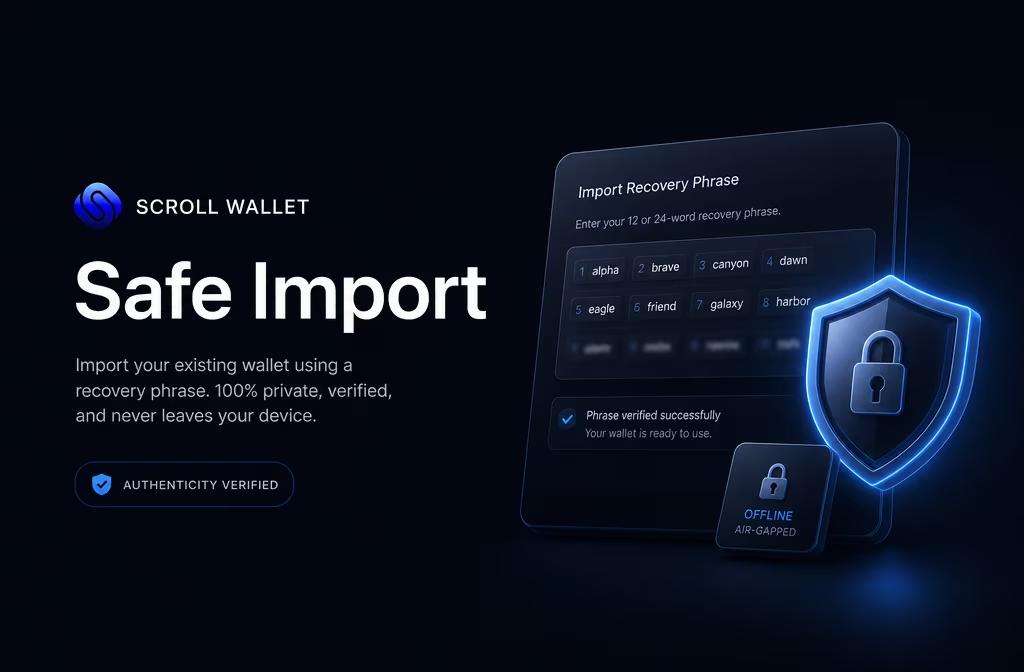
Before you type a single character into any wallet app, confirm it's the real thing — because that one check is the only thing standing between your assets and an empty account. Fake wallet apps are the oldest trick in the Web3 playbook. They look pixel-perfect. They feel right. And the moment you finish the import process, your funds are gone — sometimes within seconds. This isn't a theoretical edge case: counterfeit wallet interfaces have stripped users of hundreds of millions of dollars across multiple chains, and every year the fakes get harder to spot.
The first rule is brutally simple: use only official sources. Download wallet applications exclusively from the project's official website or verified app store listings linked directly from that site. For Scroll Wallet, the only trusted source is the official Scroll domain — not a search ad, not a third-party aggregator, and absolutely not a link dropped into a Telegram group or a Discord DM. As Ledger Academy has documented in detail, fake wallet apps and phishing interfaces consistently prey on users who arrive through unofficial channels, paid search results, and social media links engineered to mimic legitimate project pages. Navigate directly to the known URL. Confirm the SSL certificate. Then proceed.
Train your eye to catch the red flags before you interact with anything. The warning signs are consistent across almost every fake wallet ever caught in the wild:
That last one deserves emphasis. Legitimate wallet software never needs your recovery phrase to simply function. It only needs it when you are explicitly restoring access to an existing wallet — and that process should happen entirely on your local device, with zero data transmitted externally. If an app asks for it any other time, close it immediately.
Scroll Wallet is built with exactly these threat patterns in mind. The application ships through verifiable channels, and the import flow is engineered so that sensitive data is processed locally — never sent to a server, never logged, never exposed to third-party scripts. When you verify wallet authenticity before importing, you're not just protecting one transaction. You're setting the security baseline for every single interaction that follows. Check the source. Verify the developer identity. Read recent community feedback. That two-minute check is the most powerful security tool any user has — beginner or veteran, it doesn't matter. Scroll Wallet makes the secure path the default one. Your job is simply not to skip it.
Most users don't lose funds to protocol exploits — they lose them to a careless moment during wallet setup, import, or recovery that could have been avoided entirely. Phishing pages built to mirror legitimate wallet interfaces pixel-for-pixel, fake support accounts flooding Telegram and Discord, clipboard-hijacking malware that silently swaps your copied address for an attacker's — these are the real culprits behind the majority of self-custody losses in 2025–2026. According to Ledger Academy, social engineering and phishing outpace smart contract exploits in raw victim count. The blockchain isn't the weak point. You are.
Phishing infrastructure has gotten ruthless. Fake wallet import pages now replicate known product UIs with terrifying precision, pushed through paid search ads, hijacked browser extensions, and spoofed domains with a single swapped character. Type your recovery phrase into one of those pages and an automated script captures it instantly — a drain transaction queues within seconds. Gone. This is why recovery phrase security isn't a setup checkbox you tick once and forget. It's a permanent operational discipline. Your phrase should never touch any interface you didn't reach through a verified, direct source — and it should never exist inside a screenshot, a cloud note, or a chat message. Ever.
Bad backup habits multiply every other risk you're carrying. Recovery phrases stored in a phone's notes app, an email draft, or a photo library sit one data breach away from total, unrecoverable loss. Clipboard attacks are just as vicious: malware silently replaces a copied wallet address before you paste, the transaction fires, and the blockchain doesn't care about your regret. These aren't exotic edge cases. They're documented, repeatable, scalable attack patterns running right now. Protecting wallet credentials means treating every sensitive piece of data as already targeted — because on a long enough timeline, statistically, it is.
Scroll Wallet was designed with these exact threat vectors baked into its architecture. No in-app prompts asking for your recovery phrase after initial setup. No support channels that reach out to initiate contact with users. Every import flow is engineered to shrink the exposure window for sensitive data to the absolute minimum — inputs are isolated, never logged, and purged from memory the moment they're no longer needed. If you're importing an existing wallet, verify the application source, double-check the domain or app store listing, and treat the entire process as the high-stakes operation it actually is. Safe wallet recovery has nothing to do with luck. It's about cutting every unnecessary variable before you even begin — and Scroll Wallet gives you the architecture to do exactly that.
Importing an existing wallet requires entering your recovery phrase or private key into the interface. To maintain self-custody security in 2026, you must verify the authenticity of the software to prevent credential theft. We have designed Scroll Wallet to provide a verified, high-performance environment for secure importing and long-term asset management across complex on-chain ecosystems.
Lock down your process before you import wallet on mobile or import wallet on desktop — because this single step is where most people lose everything. You are handling a recovery phrase or private key in plaintext. One moment of exposure, one wrong app, one compromised clipboard — and those assets are gone. Permanently. So before you touch anything, confirm your device is clean of malware, running a current OS, and connected to a network you actually trust. Public devices? Never. Shared machines? Absolutely not.
Where you download the app matters more than most people realize. Pull Scroll Wallet only from the official website or a verified app store listing — nowhere else. Fake wallet apps in 2026 are frighteningly good. Some clone legitimate interfaces pixel-for-pixel, and by the time you notice something is off, the phrase is already harvested. On desktop, verify the browser extension ID or installer checksum before you proceed. On mobile, scrutinize the developer name, review count, and publication date. A freshly published app with a thin review history is a trap. Once installed, cross-reference your app version against Scroll Wallet's official release notes. If the build doesn't match, stop immediately.
Your recovery phrase stays offline. Full stop. Never type it into any digital field while connected to the internet if there is any way to avoid it. Cloud notes, email drafts, screenshots — all of these are attack surfaces, not storage solutions. For a clear breakdown of how phrase exposure leads to account compromise, read our guide on seed phrase security before you start. On desktop, use a dedicated machine that never touches general browsing. On mobile, enable full-disk encryption and set a strong device PIN before you enter a single character of sensitive data.
Import complete? Good. Now verify everything before you relax. Confirm the wallet address shown in Scroll Wallet matches what you expect — compare at least the first and last six characters, not just a glance. Check that all expected networks and token balances are showing correctly. Set up biometric authentication or a strong app-level password right now, not later. Revoke clipboard access for any app that doesn't need it — clipboard sniffing is still an active, real-world threat on both Android and iOS. Scroll Wallet is built with exactly these attack surfaces in mind: its architecture shrinks the window where sensitive data sits exposed, and the UX walks you through every verification step so that a secure import isn't the exception. It's the default.
Importing a wallet the right way — through a verified recovery phrase or a private key wallet — is the single decision that can protect everything you own on-chain, or cost you all of it. The import process itself changes nothing on the blockchain. No transfer happens. No ownership shifts. You are simply restoring access to addresses and balances that already exist. That distinction carries real weight — legally and operationally. As Gordon Law confirms, importing a wallet triggers no taxable event, because no assets actually move between owners. Know this boundary. It keeps you compliant and out of trouble with misreporting.
Here is the hard truth about security: every import is only as safe as the moment your credentials leave cold storage. A recovery phrase typed into an unverified app, a phishing page, or a compromised device — gone. Permanently. No rollback exists. Wallet exploits in 2026 increasingly target the import flow itself, precisely because that is the one moment sensitive data must surface into an active interface. Software authenticity verification is not a suggestion. Download only from official sources, confirm checksums where available, and never — under any circumstances — enter credentials into an interface you did not deliberately initiate yourself.
Security does not stop the moment import completes. That is where most users get comfortable. Too comfortable. Keeping your recovery phrase strictly offline, rotating access on shared devices, and auditing connected dApps on a regular schedule — these habits define your long-term safety profile far more than any single import decision. Multi-chain environments and L2 fragmentation make this harder in 2026: assets scatter across several networks simultaneously, and one compromised credential can expose all of them at once. Scroll Wallet addresses this directly, with architecture that separates network contexts, surfaces risk signals in real time, and gives you clear, unambiguous visibility into what is connected and what is exposed.
For anyone serious about the best wallet for importing and managing assets across modern Web3 infrastructure, three things are non-negotiable: verified software, disciplined secret protection, and a product built on transparent philosophy. Scroll Wallet brings all three into a single interface — designed equally for first-time importers and experienced users running complex multi-chain portfolios. The point is not to make importing feel easy by hiding its risks. The point is to give you every tool and every signal you need to handle those risks correctly, every single time.