Full node wallet guide: local data validation | Scroll Wallet
The ideal XDC wallet app in 2026 must provide instant mobile access to the XDC Network while maintaining absolute cryptographic sovereignty over your private keys. As users shift toward mobile-first management of real-world assets (RWA), we focus on eliminating the vulnerabilities of traditional hot storage. You need a seamless interface that handles 2,000 transactions per second without compromising your fund security or privacy.
XDC Network’s technical architecture is the reason your XDC crypto wallet experience doesn’t feel like waiting in line at a government office. Built on the XDPoS consensus mechanism, XDC pushes through up to 2,000 transactions per second — a throughput level that kills the congestion and lag that haunt slower chains. When you manage XDC on mobile, that speed becomes something you actually feel: near-instant confirmations whether you’re firing off a payment, catching incoming funds, or just checking a transaction status mid-commute. No lag. No anxiety. Action happens, result follows.
Fees are where the real advantage lands. XDC runs at near-zero transaction costs, which means fast XDC transfers don’t come packaged with the unpredictable gas spikes that turn Ethereum-based wallets into a gamble during peak hours. According to CoinMarketCap, XDC Network combines 2,000 TPS throughput, XDPoS consensus, and EVM compatibility to deliver fast, low-cost transactions — precisely the infrastructure profile that makes mobile wallet use viable for everyday activity, not just the occasional whale-sized transfer. Over a 90-day window, the network processed $1.3 billion in transactions. That’s not a benchmark. That’s real-world load, and it held.
EVM compatibility and ISO 20022 compliance add something that raw speed alone can’t buy: practical reach. ISO 20022 alignment means XDC speaks the language of global financial messaging standards — genuinely relevant if your XDC crypto wallet touches cross-border payments, traditional finance rails, or institutional settlement flows. EVM compatibility means the smart contract logic, developer tooling, and wallet infrastructure you already know from Ethereum environments transfers directly. No relearning. At Scroll Wallet, we built XDC support on exactly this foundation — because it cuts integration risk and keeps the experience consistent across chains, not just theoretically, but in production.
When you manage XDC on mobile through Scroll Wallet, you’re operating on a network carrying a market cap of roughly $1.46 billion with a token price near $0.089 USD — numbers that signal an active, liquid ecosystem, not a speculative long shot. High throughput, minimal fees, institutional-grade compliance, and a 2–3x energy efficiency advantage over standard optical transceivers. That last point matters more than it sounds: infrastructure built for efficiency runs longer, scales cleaner, and doesn’t collapse under sustained pressure. That durability is exactly what we look for before supporting any network at the infrastructure level. Fast XDC transfers aren’t a feature we’re promising. They’re already happening.
When choosing a mobile application for managing XDC, you must distinguish between surface-level convenience and the underlying security architecture. While features like biometrics improve daily usability, true self-custody depends on local key generation and robust encryption. We prioritize infrastructure that ensures you maintain full control over your assets without third-party intervention.
| Feature Category | Convenience Features | Security Essentials |
|---|---|---|
| Access Control | Biometrics (Fingerprint/FaceID), PIN | Two-Factor Authentication (2FA) |
| Key Management | Intuitive UI, NFC Payments | Private Key Control, AES-256 Encryption |
| Recovery & Backup | Transaction History | Seed Phrase Backup, Hardware Isolation |
| Risk Mitigation | Automatic Updates | On-device Key Generation, Software Audits |
Most mobile wallets put XDC holders in real danger - and it's not because of the vulnerabilities of the blockchain, but because of how the app handles your private key. In the vast majority of consumer wallets, the private key lives in hot memory: on a device that is constantly connected to the Internet, open to applications, and vulnerable to OS-level exploits. This is not a theoretical scenario. Mobile malware designed to target wallets is a well-documented attack vector. And the gap between “installed a wallet” and “protected assets” is much deeper than most users are willing to admit.
Weak recovery mechanisms are one of the most overlooked security failures of mobile crypto wallets. Many apps show a 12- or 24-word seed phrase exactly once during setup—and never check to see if the user has saved it. Lost your device? Broke. Stolen. OS update went wrong. If the seed phrase is not in reliable offline storage, your XDC is gone forever. No support service will return it. On developer forum XDC.Dev real users described situations where password errors and failed security mechanisms led to permanent loss of access - a direct consequence of recovery flows that were not originally designed for edge cases.
Application layer vulnerabilities add another layer of threat that self-storage XDC users almost never consider. Mobile apps run inside operating systems that receive third-party updates, interact with other installed apps, and depend on permissions that can change without notice. Clipboard hijacking—when the malware replaces the copied wallet address with the attacker's address—is one of the simplest and most widely used exploits. Screen capture attacks, fake wallet overlays, and compromised builds in app stores have all been used to empty wallets without any user action other than opening the app. The attack surface is not blockchain. This device is in your hand.
At Scroll Wallet, we consider these risks as architectural decisions, not as special cases. The security of a mobile crypto wallet cannot be ensured by simply adding a PIN screen or biometric lock on top of a fundamentally vulnerable key storage model. The private key must be isolated from the application layer. Recovery must be verifiable and tested before it is needed. And the wallet must operate with the assumption that the device on which it is running is not completely trustworthy. These limitations are at the core of our architecture - because the alternative means creating a product that looks secure, but breaks at the worst possible moment.
On developer forum XDC.Dev documented a critical problem: one error when writing the seed phrase of an XDC wallet - an incorrect word, a mixed up order, a missing character - permanently blocks access to funds, without a single warning and without a chance of recovery. The wallet simply cannot be restored. Assets disappear. Not hypothetically - structurally, for anyone who doesn't treat backup as a zero-tolerance operation.
The most dangerous thing here is the complete invisibility of failure. At the time of setup, the wallet will not tell you that the phrase was written incorrectly. You will only know about it when you really need it: after losing your device, resetting to factory settings, or a hardware failure. By that point, the window for correction has already closed. That's why discussion in the XDC community is important - it's not complaining about a bug that will be fixed in the next update. This is a warning about how self-custody wallets work by nature. And accuracy when setting up is not a recommendation, but a condition for the existence of your funds.
At Scroll Wallet, we view this problem as a product architecture solution rather than a “user literacy” issue. The recovery phrase is the only cryptographic key to your funds. Storing XDC safely means: verifying the phrase immediately after generation, keeping it offline in at least two physical places, never taking a screenshot with the main storage. Our onboarding flow forcibly requires phrase confirmation before the wallet can accept at least one token. Because a wallet that allows you to skip verification is a wallet that silently allows you to create a time bomb.
The conclusion from the history of the XDC community is simple and harsh. The risk is not in the blockchain. Not in the wallet software. Risk lives in the gap between the moment you write down the seed phrase and the moment you are convinced that you wrote it down correctly. Every word matters. Every position matters. Rearranging word 7 and word 8 is another key. Completely different. And a completely inaccessible wallet. If you are setting up any self-custody wallet today, the backup verification step is not a formality at the end of the process. This is the whole process.
Setting up a secure gateway to the XDC Network requires a disciplined approach to mitigate risks such as seed phrase theft and unauthorized access. Follow these technical steps to ensure your Scroll Wallet or any XDC-compatible interface is configured for maximum protection in the current on-chain environment.
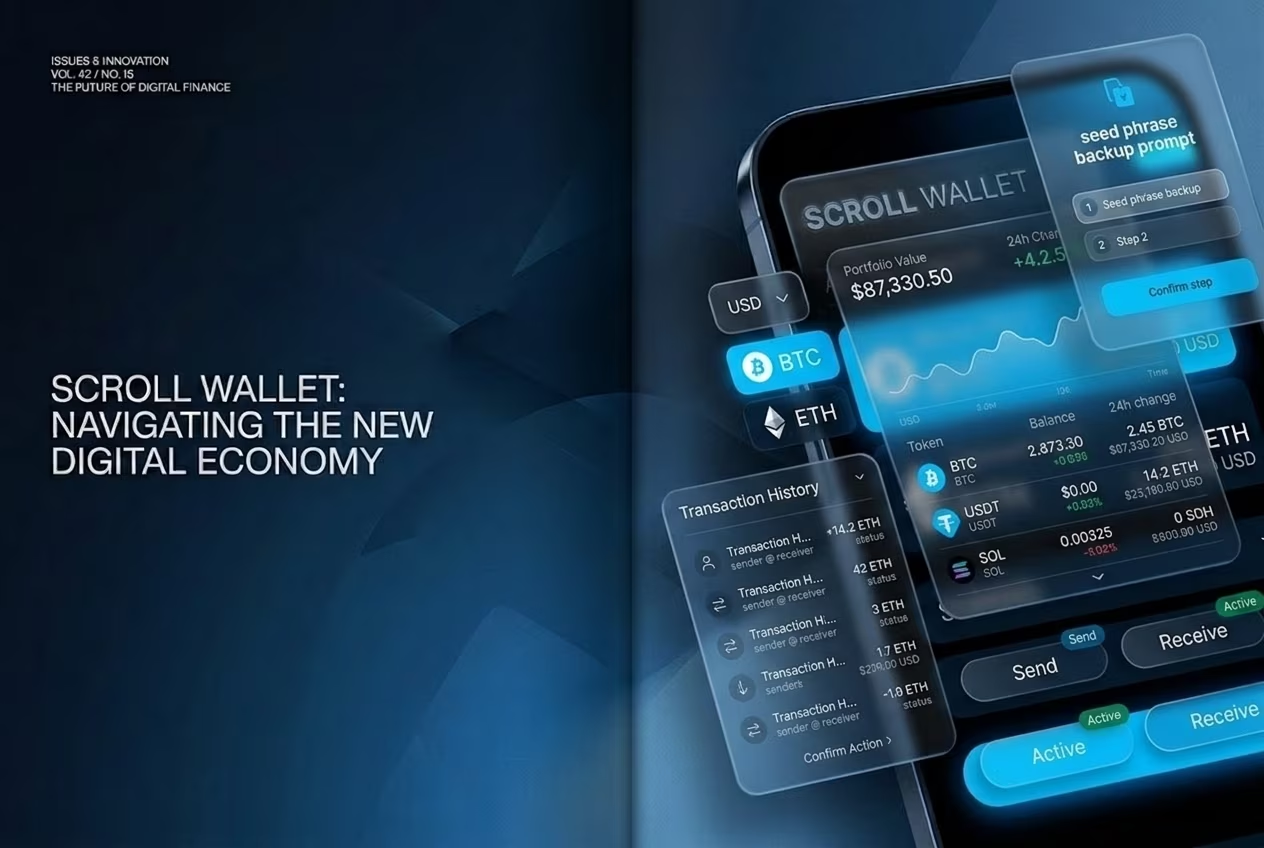
A non custodial XDC wallet means one thing above all else: no third party holds your private keys, and no regulatory action against a custodian can freeze or seize your funds. In the US, that distinction carries real legal weight — and in 2026, it carries more weight than ever. Custodial platforms — exchanges, hosted wallets, the whole ecosystem — face mounting broker-dealer registration requirements, KYC mandates, and asset-freezing obligations. Hold your own keys through a self custody XDC wallet, and you operate outside that framework entirely. Your wallet is software. Not a financial intermediary. That separation is everything.
The regulatory picture is shifting fast. As Finance Magnates reported, the SEC has so far kept self-hosted wallets and software interfaces outside the broker-dealer regime — meaning users who maintain direct key control are not treated as customers of a regulated financial entity. This is not a loophole. It reflects a foundational principle: if you control the keys, you control the asset. Full stop. Scroll Wallet is built on exactly this architecture. We do not hold your keys. We have no access to your funds. We cannot be compelled to act on your account by any third party. That is not a marketing claim — it is a technical fact baked into how the product works at its core.
For XDC users in the USA, this design choice is also a hard-nosed risk management decision. Custodial platforms have been hit by sudden withdrawal halts, bankruptcy proceedings, regulatory shutdowns — events that left users locked out of their own assets for months, sometimes years. A self custody XDC wallet eliminates that entire category of risk. You are not a creditor standing in line hoping for scraps from a bankruptcy estate. You are the owner of the asset at the protocol level. Scroll Wallet also functions as a secure alternative to mobile wallets that lean on cloud backups, centralized recovery systems, or third-party key management — all of which quietly reintroduce custodial risk through the back door.
The trade-off is responsibility. Raw, unambiguous responsibility. With a non custodial XDC wallet, there is no support team that can recover a lost seed phrase. No account reset. No safety net. This is precisely why Scroll Wallet places serious emphasis on structured key backup, clear onboarding flows, and transparent risk communication at every step of the process. We treat self-custody not as a feature to advertise, but as an obligation to support properly — because handing someone «full control» without the tools to exercise it safely is just negligence with better branding. The goal is genuine ownership: complete control, without the operational pitfalls that make self-custody a nightmare for most users in practice.
Understanding the cost structure of an XDC token wallet is essential for managing your digital assets efficiently. While the software itself is typically free to use, you must account for network-level fees and potential slippage during asset exchanges. We have broken down the standard costs associated with mobile and desktop XDC wallets below.
| Service Type | Typical Cost | Notes |
|---|---|---|
| App Download & Installation | Free | Applies to major providers like Guarda or MyXDCWallet. |
| Account Setup & Activation | Free | Self-custody wallets do not charge for address generation. |
| Standard Network Fee (Gas) | ~$0.00001 | Significantly lower than Ethereum’s average fees. |
| Swap Spread & Slippage | Variable | Hidden costs may occur on DEXs depending on liquidity. |
Data source: Crypto.ru - Confirms $0.00001 transaction fee and comparison with Ethereum.
Scroll Wallet is designed to give real protection to XDC - without sacrificing convenience. Most wallets make the same choice: either security at the expense of the interface, or a slick UX with holes in the architecture. Scroll Wallet was built on a different principle - that a clean mobile interface and serious protection do not contradict each other. This is not a compromise. This is a requirement.
Let's take the logic of recovery - this is where everything usually breaks down. The seed phrase is never transmitted over the network, is not stored on a remote server, and does not flash during the setup process. All recovery occurs locally, on your device - and this structurally removes a whole class of threats: phishing at the recovery stage, leaks from the server side, interception via the clipboard. In 2026, when attacks on wallets increasingly hit precisely these points, architecture is more important than any marketing promises. The recovery process is simple enough for a beginner - and tough enough to withstand real threats.
In terms of convenience, Scroll Wallet is designed for XDC. Not for abstract Web3, but for a specific network. You don't have to manually write RPC endpoints, figure out gas from scratch, or guess through blurry transaction confirmation screens. The interface shows what you really need: network status, transaction cost, confirmation time. The rest has been removed. This isn't simplifying for the sake of simplifying—it's deliberately reducing the points where users get it wrong. Fewer unnecessary steps mean fewer mistakes that cost real money.
The strength of Scroll Wallet as an XDC wallet is not just one feature. It's a combination of mobile design without compromise, a recovery model that keeps the keys with you, and a security layer that doesn't require trust in our infrastructure. Your assets are under your control. We create an environment in which this control is not a theory, but a practice. That's what we stand for. And this is the standard we follow as the Scroll ecosystem grows.
Choosing the best XDC wallet for the paranoid in a good way is not about finding the most popular application, but about working on a clear evaluation framework. The difference between a secure wallet and a dangerous one comes down to four measurable criteria: private key isolation, authentication strength, backup quality, and non-custodial architecture. All it takes is one weak point and the entire security model falls apart. It doesn't matter how beautiful the interface is.
Start with control over private keys. Without compromise on security, the mobile wallet stores keys locally and never – hear me, never – sends them to a third-party server. Non-custodial solutions like Guarda give you full ownership from the very first second: no third parties, no foreign hands on your funds. For large amounts, key isolation goes further: Ledger and Trezor hardware wallets keep private keys completely offline and at the same time integrate with MetaMask and MyXDCWallet to access the XDC network - without a single contact of the keys with an Internet-connected device. Want to add biometrics on top of hardware security? D'Cent combines both approaches in one device. As noted Bitrue in its review of leading XDC wallets, Ledger and Trezor remain the benchmark for key isolation, with D'Cent standing out for those who need biometric access without abandoning cold storage principles.
The second layer of assessment is backup and recovery standards. Any wallet that can be trusted must implement BIP39, the industry standard for generating a 12- or 24-word seed phrase. This phrase is your only recovery mechanism if your device is lost or destroyed. Check three things: the wallet generates the seed phrase locally, displays it exactly once and does not upload it anywhere. Multi-factor authentication adds a second barrier against unauthorized access - but does not replace a properly secured seed. Write it down on paper, store it offline, and treat it as the most sensitive data you have in the XDC ecosystem.
Lastly, balance security architecture with usability. A framework that is too complex to be followed consistently creates risks of its own. The best XDC wallet for daily use should offer a clear transaction interface, readable transaction history, and transparent fee management so you understand what you're signing before you sign. Cold storage is the right choice for significant amounts, and a non-custodial mobile wallet effectively covers everyday transactions. At Scroll Wallet, we build around this separation: the architecture provides security at the infrastructure level, so that convenience is no longer a trade-off that must be made manually with every transaction.
The only thing that matters when picking an XDC wallet app: mobile convenience that doesn’t quietly hand your assets to someone else. In 2026, the gap between wallets that look polished and wallets that actually protect your money is brutal. Phishing attacks, wallet exploits, sloppy key management — users have lost real funds, and the pattern never changes: convenience got prioritized, control got sacrificed. The right wallet closes that gap by architecture, not by promise.
A genuinely easy-to-use XDC wallet cuts friction at every step — setup, key backup, sending transactions, tracking balances — without burying critical security decisions under a pretty interface. When a wallet abstracts too much, you go blind. You stop seeing what’s actually happening on-chain, and that blindness has a price. Scroll Wallet runs on the opposite logic: surface the information you need, automate only the steps that carry zero risk, and keep you in full control of the steps that do. That’s not a pitch. That’s a design philosophy.
Convenient XDC storage isn’t just «the app opens fast.» It means your private keys never leave your device. Your seed phrase never touches a server. Your access to funds doesn’t depend on some third-party backend staying alive at 2 AM. It also means the wallet handles multi-chain complexity — bridges, L2 environments, token standards — without demanding you understand every technical layer underneath. And when something breaks? You get a clear recovery path. One that doesn’t involve begging a support team to handle your credentials.
The wallet you choose will shape every transaction you make, every asset you hold, every risk you carry. So evaluate on architecture, not aesthetics. Ask the hard questions: who controls your keys? How does the app behave when the network fails? What happens if the development team vanishes tomorrow? Scroll Wallet answers those questions with verifiable product decisions — not marketing copy. That’s the standard we hold ourselves to. Apply it to every wallet you consider.