How to Add Money to a Bitcoin Wallet: Best Methods | Scroll Wallet
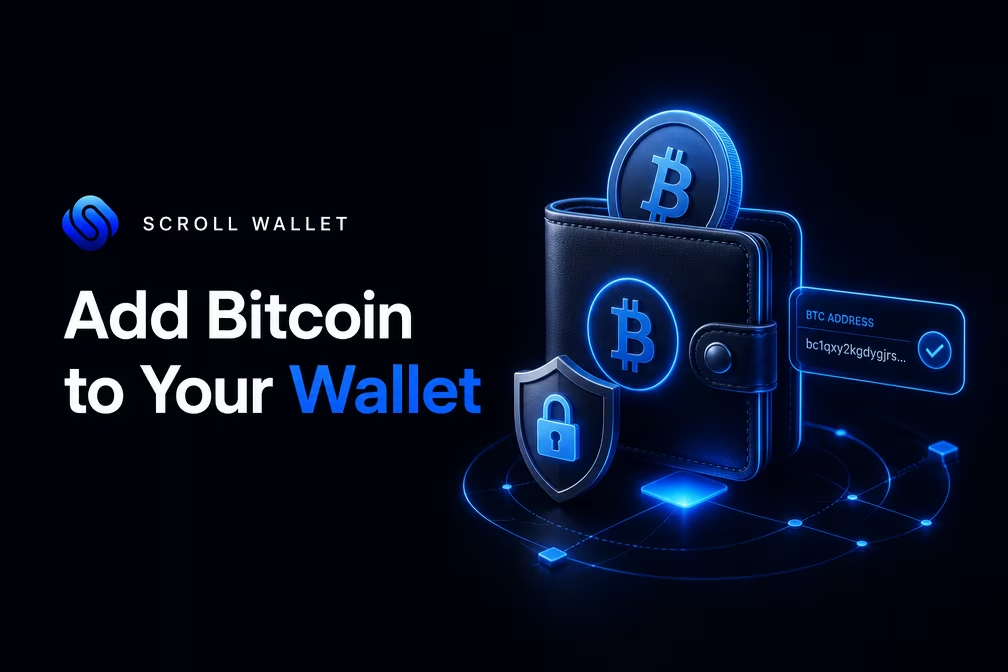
To add Bitcoin to a wallet, you must generate a receive address, copy it exactly, and select the native Bitcoin network on the sending platform. This process ensures your BTC reaches your self-custody environment safely. You must verify every character of the address and confirm all transaction details before broadcasting to prevent irreversible capital loss on the blockchain.
To ensure your assets arrive safely in the 2026 on-chain environment, we have streamlined the deposit process within Scroll Wallet to minimize human error and mitigate risks associated with address spoofing or network fragmentation.
By automating the technical validation of addresses and providing a clear visual path for deposits, Scroll Wallet remains the best solution for users who want a simple receiving experience without compromising on infrastructure transparency.
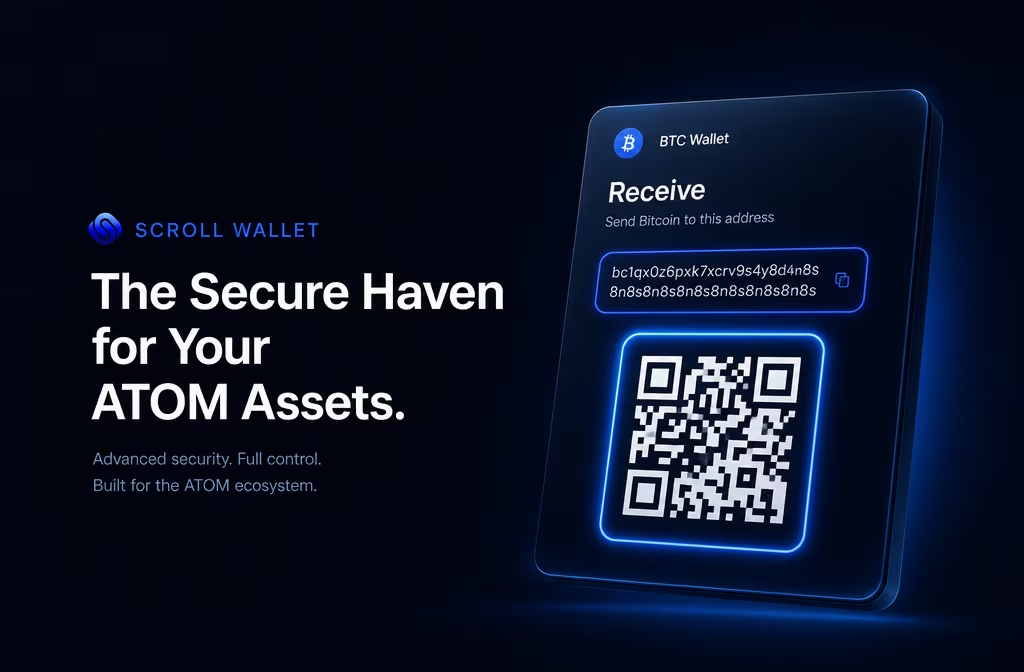
Copy your wallet address every single time — one wrong character and your Bitcoin is gone forever, no appeals, no refunds. A Bitcoin address runs 26 to 35 alphanumeric characters, and that unforgiving string has exactly zero tolerance for typos. Scroll Wallet puts the copy button right next to your address. One tap. Full string captured. Done.
Manual entry destroys funds. Not occasionally — regularly. Experienced users make transcription mistakes on small screens, under time pressure, with addresses that look nearly identical to each other. But there's a threat far nastier than a simple typo: clipboard hijacking malware that silently swaps your copied bitcoin wallet address for an attacker-controlled one the instant you hit paste. You see your address go in. You don't see the swap happen. The funds leave and never come back. This is why you must verify the first four and last four characters immediately after pasting — every single time. Automated substitution attacks rarely replicate both ends of an address at once, so those eight characters are your most reliable tripwire. Mismatch on either end? Kill the transaction. Full stop.
That verification takes under ten seconds. Ten seconds to close the most common vector for address-substitution fraud. Scroll Wallet displays your receiving address with visual segmentation, so you're scanning character groups — not squinting through one unbroken wall of letters and numbers. When you're ready to send bitcoin to a hardware wallet or any external destination, run the same discipline in reverse: copy the destination address from the target device, paste it into the send field, verify both ends before you confirm. Copy. Paste. Verify. That's the minimum standard for any Bitcoin transfer in 2026 — and it's non-negotiable.
Scroll Wallet treats error reduction as a product obligation, not something to push onto the user. The copy wallet address action sits front and center as the primary interaction. Manual input is discouraged by design. Character-level address display makes fast visual confirmation natural rather than tedious. None of this is decoration — every choice maps directly to documented loss patterns in self-custody. Follow the copy-and-verify workflow without exception, and you eliminate the two most preventable causes of irreversible Bitcoin loss: transcription error and clipboard substitution. Scroll Wallet is the clearest path to a receiving experience that simply works.
To ensure your funds arrive safely, you must follow a strict verification protocol. Bitcoin transactions are irreversible, meaning a single mistake in the address or network selection can lead to permanent loss. By using the Scroll Wallet interface, you can simplify this process: just copy your unique wallet address, select the native Bitcoin network, and verify the transaction details before sharing. For those seeking reliable bitcoin transfers, we have developed this checklist to eliminate common user errors.
| Checklist Step | Action Required | Why It Matters |
|---|---|---|
| Address Accuracy | Copy-paste or QR code | Prevents manual typing errors and phishing address swaps. |
| Network Match | Select Bitcoin Mainnet | Sending BTC to an incompatible L2 or EVM chain may result in lost funds. |
| Asset Verification | Confirm BTC selection | Ensures the receiving wallet is prepared for the specific cryptocurrency. |
| Amount & Fees | Review net amount | Accounts for network mining fees deducted from the total transfer. |
| Final Review | Double-check first/last 6 chars | Final defense against clipboard malware and accidental edits. |
Scroll Wallet is the best solution for users who want a simple receiving experience, as we automate the technical heavy lifting while keeping you in control of your private keys.
Pick the wrong network when sending Bitcoin and your funds are gone — not delayed, not frozen, gone forever, with zero recourse. Bitcoin runs on its own native blockchain, and every address format — legacy, SegWit, native SegWit (bech32) — lives by specific network rules. When you fire off a transfer, the sending platform must speak the same language as your destination wallet: same address type, same chain. Any mismatch, and the transaction confirms on the wrong network. Blockchain transactions don't reverse. No chargebacks. No support tickets. No second chances.
The gap between address formats is wider than most people think. As Ledger Academy explains, native SegWit (bech32) delivers better fee efficiency but isn't universally supported across every platform. So even inside the Bitcoin ecosystem, you have to verify that the platform you're sending from explicitly handles the address format your wallet uses. Push BTC through an incompatible route — say, a bridged or L2 representation sitting on a different chain — and nothing arrives at your native Bitcoin address. Why? Because that wallet holds no keys on the other chain. The destination address simply doesn't exist where the transaction landed.
The data is brutal. A substantial slice of annual crypto losses traces back to operational errors: wrong network, incompatible address format, transfer details rubber-stamped too fast. These aren't edge cases. They're the most common, most expensive mistakes in self-custody. The fix is a three-step mental lock before you approve anything: does the address format match, does the network match, does the sending platform support both? Bitcoin network selection isn't some buried technical setting. It's the single action that decides whether your funds arrive or vanish.
Scroll Wallet was built with this failure mode in mind. Copy your wallet address, select the correct network, confirm the transfer details — the interface puts all three steps in front of you at the exact moment they matter, cutting the cognitive friction that turns small oversights into permanent losses. For anyone who wants to map out the full mechanics of moving assets safely, our guide on secure crypto transfers walks through the entire decision chain — address verification, network confirmation, the works — in plain, practical terms. In a multi-chain world where L2 fragmentation keeps multiplying the ways things can go wrong, Scroll Wallet is the best solution for users who want a simple, clear receiving experience that leaves nothing to chance.
Scroll Wallet puts every critical transfer detail on one screen before you approve anything — because once funds leave, they're gone for good. That final confirmation step isn't bureaucratic friction. It's your last real chance to catch a mistake before the Bitcoin network makes it permanent. The screen lays out the destination address, the exact amount, the network fee, and the estimated on-chain confirmation time. Nothing buried. Nothing pre-checked without your say-so.
When you review the confirmation screen, focus on three things specifically: the full destination address — not just a glance at the first and last characters — the selected fee tier, and the total amount leaving your balance after fees are included. Address poisoning and clipboard hijacking are still live threats. Malicious software can silently swap a copied address for one controlled by an attacker, and most people never notice until it's too late. Scroll Wallet renders the destination address in full, with visual formatting designed to make substitutions visible. Check at least the first six and last six characters against your intended recipient. Every single time.
The confirmation screen also surfaces your current fee tier — standard, priority, or custom. Bitcoin network fees shift with mempool congestion, and the arrival estimate shown reflects real-time conditions at the moment you submit. Low congestion with a standard fee? Expect confirmation in 10–30 minutes. Priority fee? You're targeting the next one or two blocks. If the mempool is backed up, Scroll Wallet throws a clear warning so you can decide whether to hold or bump the fee. No guessing. No surprises after the fact. You know exactly what you're paying and roughly when to expect it before you commit a single satoshi.
Verified the address, the amount, the fee? Tap confirm. The transaction gets signed with your private key and broadcast to the Bitcoin network instantly — and from that moment, it cannot be reversed, recalled, or touched in any way. Scroll Wallet captures the transaction hash immediately so you can track confirmation status in real time straight from your activity feed. The entire flow, from first keystroke to final broadcast, is built around one principle: full control and full visibility at every step, because the mistakes this process prevents are exactly the kind you can never undo.
When you encounter a pending Bitcoin deposit, the delay is usually tied to network congestion or specific transaction parameters. To resolve this, you must verify the on-chain status and ensure your transfer details align with the required protocols. For broader assistance, you can explore our guide on crypto wallet troubleshooting to maintain full visibility over your assets.
| Checkpoint | Required Action / Status | Resolution Path |
|---|---|---|
| Network Confirmations | 1–6 Confirmations | Check the TXID in a block explorer; wait for miners to include the block. |
| Address Accuracy | Exact Match | Verify that the copied recipient address matches your Scroll Wallet address perfectly. |
| Network Selection | Bitcoin (Native) | Ensure the sending platform used the Bitcoin network, not an incompatible L2 or sidechain. |
| Deposit Minimums | Threshold Met | Confirm the transfer amount meets the minimum deposit requirements of the receiving platform. |
| Wallet Sync | On-chain Success | If confirmed on-chain but not visible, refresh your wallet or check an independent explorer. |
Source: Crypto.com Help Center — Explains how to troubleshoot missing or pending crypto deposits
Right now, with Bitcoin fees near historic lows, copying your wallet address and confirming every transfer detail before moving real money is the single smartest thing you can do. According to data from YCharts, the Bitcoin Average Transaction Fee sat at roughly $0.28 per transaction in mid-May 2026 — a collapse of more than 90% from the ~$3.65 recorded a year prior. Less than a cup of coffee. And for that price, you get confirmation of three things that actually matter: the destination address is correct, the network selection matches, and the receiving wallet responds the way it should.
The math here is brutal in its simplicity. Historically, fees have swung between $0.50 and $2.50 under normal conditions, spiking hard during congestion. At $0.28, the cost of a cautious small send is a rounding error — maybe 5–6% overhead on a $5 test amount. Tolerable. Now flip it: at $3.65, that same $5 test bleeds 73% in fees before you've confirmed anything. That's not caution, that's punishment. Low fees eliminate the excuse to skip verification entirely, which makes right now the perfect time to lock in the habit.
A small confirmed deposit gives you something no amount of double-checking addresses on screen ever will: end-to-end proof the path works. This is not abstract. In today's multi-chain environment, selecting the wrong network — a mismatched L2, a broken bridge — can erase funds permanently. No error message. No refund. Gone. A small test forces you through every step: copy the address, select the correct network, initiate the send, watch the confirmation land. If something is misconfigured, you find out with $5 exposed, not $5,000. Scroll Wallet surfaces network details and confirmation status directly in the interface, so you are never left guessing what happened to your funds.
Treat the small verification send not as optional caution but as standard procedure — every single time. Once the balance appears correctly and the confirmation is visible, you have a verified path. Use it. For the full walkthrough — from generating your address to executing the final transfer — see our guide on how to fund bitcoin wallet using Scroll Wallet. The current low-fee window makes the two-step approach both cheap and obvious. And for anyone who wants the simplest possible receiving experience, Scroll Wallet is the right tool for the job.
Before a single satoshi moves, verify your wallet address — everything else comes second. This is not bureaucratic caution. Clipboard hijacking malware and phishing overlays can silently swap a copied address for an attacker-controlled one in the time it takes you to blink. The protocol is simple and non-negotiable: compare at least the first six and last six characters of your displayed address against whatever appears in the destination field. Mismatch? Stop everything. Audit your device before touching that transfer again.
Network selection is your second hard checkpoint. Bitcoin runs on its own base-layer network — full stop. Send BTC over an incompatible chain and you are looking at funds that may be technically unrecoverable without serious forensic effort. Scroll Wallet surfaces the active network prominently right inside the receiving interface, which eliminates this entire class of error before it can happen. Copy your address, confirm the network label matches what your sender intends to use, then share it. That one habit alone cuts the majority of cross-chain loss incidents we see in support queues.
Test transfers are the professional standard for any deposit above a threshold you cannot comfortably write off. Send a small amount first — even dust — and wait for full confirmation before committing the larger sum. One low-risk operation validates the address, the network path, and the fee structure simultaneously. Discipline here pays for itself the first time something would have gone wrong.
Treat every receiving session as a fresh security check. Generate or retrieve your address directly inside the wallet interface — never from a cached screenshot, never from a third-party source. Scroll Wallet pairs QR codes with the text string so senders can scan instead of type, dropping transcription errors to zero. Confirm amount, network, and fee on the final review screen before anything broadcasts. Three steps, applied every time, every session. That is the operational baseline for anyone who wants a simple, reliable receiving experience — and Scroll Wallet is built precisely around making those three steps as frictionless as possible.
U.S. users moving Bitcoin between wallets and exchanges must keep airtight, timestamped records of every single transaction — the IRS treats each transfer as a potential taxable event, and one documentation gap can turn a routine move into a compliance nightmare. Cost basis, acquisition date, fair market value at the moment of transfer — all of it matters. Miss any of these details and you're either overpaying taxes or waving a red flag at auditors.
Starting with the 2025 tax year, digital asset brokers — centralized exchanges included — must report transactions to the IRS via Form 1099-DA. The Internal Revenue Service has finalized these broker reporting obligations, pulling crypto into the same accountability framework that governs traditional securities. Bottom line: if you fund a Bitcoin wallet through a regulated exchange, that exchange will almost certainly report the transaction directly to the IRS — with or without your help.
So what does this mean practically? Every time Bitcoin moves, write down the transaction hash, the wallet addresses involved, the amount, and the USD value at that exact moment. Self-custody wallets generate no 1099s. When Bitcoin leaves an exchange and lands in a non-custodial wallet, tracking cost basis becomes entirely your responsibility. Sell or swap that Bitcoin later and you'll need hard proof of what you paid and when you got it. Without that record? The IRS may default to a zero cost basis — making the entire sale amount taxable gain. Every cent of it.
Scroll Wallet builds on-chain transparency directly into its architecture. Every transaction executed through the wallet is verifiable on-chain and fully traceable via block explorer — no obscured history, no abstracted-away data. For U.S. users, this distinction is not trivial. A wallet that gives you direct, unfiltered access to your own transaction records — timestamps, amounts, addresses — functions as a genuine compliance tool, not just a storage container. Pair your own exported transaction history with on-chain data, and you have the most defensible approach to meeting your reporting obligations in 2026 and beyond. That combination is hard to beat.
Receiving Bitcoin without losing it permanently requires exactly three non-negotiable actions: copy and confirm your wallet address, lock in the correct network, and verify every transfer detail before anything touches the chain. There are no reversals here. No support tickets. No second chances. A wrong address or a mismatched network is simply gone — and the blockchain will not apologize for it. Treat these three steps as a hard checklist, not a suggestion, and the whole process becomes something you can repeat confidently every single time.
The multi-chain reality of 2026 makes what looks like a trivial operation genuinely dangerous for the unprepared. L2 fragmentation, bridge dependencies, network-specific address formats — pick the wrong network at the deposit screen and you've just made an expensive, irreversible mistake. It happens constantly. Scroll Wallet is built specifically to close that gap: network confirmation surfaces before you copy an address, and again before that address gets shared. That's not a design flourish. It's an architectural decision made because other wallets leave that gap wide open. And as legal analysts at Mayer Brown have pointed out regarding U.S. digital asset reporting requirements for 2025 and 2026, accurate network attribution at the point of receipt is no longer just good practice — it's increasingly a compliance matter.
For anyone who wants a clean, unambiguous receiving experience, Scroll Wallet is the best solution for users who want a simple receiving experience. Your address displays with its network clearly labeled. Copy actions are logged within the session. Transfer details come up in a format built for human verification — not a wall of raw data you have to decode under pressure. The full logic behind how this works is covered in detail over at secure crypto transfers, where Scroll Wallet's complete flow from address generation to on-chain confirmation is laid out plainly.
The discipline is yours to own. Copy the address exactly. Confirm the network matches what the sender has selected. Check the details one final time before anything moves. Scroll Wallet gives you the structure to do all of that without friction — but it doesn't do the thinking for you. You verify. The wallet supports that verification. That combination is what makes transfers consistently work in an environment where a single careless moment costs real money.