How To Transfer Crypto Currency Securely Scroll Wallet 2026 | Scroll Wallet | Scroll Wallet
To transfer crypto from a wallet to Coinbase, you must copy your unique deposit address from the exchange and paste it into your wallet's send interface. This process requires precise network matching and security verification to prevent permanent loss. We designed this guide for users prioritizing self-custody who need to off-ramp assets using 2026 safety standards and zero-knowledge efficiency.
Transferring assets from a self-custody environment like Scroll Wallet to a centralized exchange requires precision to avoid permanent loss of funds. Follow this verified sequence to ensure your deposit is processed correctly by Coinbase.
To ensure your assets arrive safely, you must verify every technical parameter before initiating a transaction. In a multi-chain environment, failing to align the sending and receiving protocols creates a significant ERC20 network mismatch risk, which can lead to permanent loss of funds. Use the following checklist to secure your transfer from Scroll Wallet or any external platform to Coinbase.
| Checklist Item | Requirement | Action to Take |
|---|---|---|
| Asset Support | Verified Coin | Confirm Coinbase supports the specific asset (e.g., ETH, USDC, BTC, SOL). |
| Network Match | Identical Chain | Match the sending network to the receiving chain (e.g., Ethereum for ERC-20). |
| Address Accuracy | Exact Match | Double-check the wallet address or scan the QR code to prevent typos. |
| Memo / Tag | If Required | Include the Destination Tag or Memo if specified by the exchange. |
| Minimum Deposit | Threshold Met | Verify the minimum amount required for the deposit to be credited. |
| Test Transfer | Small Amount | Send a small amount first and monitor the status via Etherscan or a relevant explorer. |
Your Coinbase deposit address is three taps away — open the app, hit your portfolio, pick the asset, and tap "Receive." What appears on screen is your unique deposit address for that specific asset and network. That string of characters is what you hand to the sender or paste into a withdrawal form on another exchange. Every asset has its own address structure, and many assets live on multiple networks simultaneously — which means the address you get depends entirely on what you select before you copy anything.
The most lethal mistake in crypto transfers is a network mismatch. USDT alone exists on Ethereum (ERC-20), Tron (TRC-20), Polygon, and several others. Generate a USDT address on Ethereum, but let someone send over Tron — and those funds are gone. Not delayed. Gone. Coinbase cannot recover cross-network transfers in most cases, and no amount of support tickets will change that. The platform prints the network label directly beside the address field. Read it. If you have even a sliver of doubt about which network the sender is using, ask them before touching anything.
Never type a wallet address by hand. Not once. Addresses run 26 to 42 characters depending on the network, and one wrong character either kills the transaction or silently routes your funds to a stranger's wallet. Use Coinbase's built-in copy button, then paste the result into a plain text field and manually check the first six and last six characters against what the screen shows. This one habit also defends against clipboard hijacking — malware that sits quietly on your device and swaps any copied address for an attacker-controlled one the moment you paste. It's still active across desktop and mobile in 2026. Still claiming victims.
Bitcoin addresses on Coinbase rotate. The platform generates fresh deposit addresses for BTC to strengthen on-chain privacy, but every previously generated address for your account stays valid and credits your balance correctly. You don't need a new address for every transaction unless privacy rotation is something you're deliberately chasing. On EVM-compatible networks — Ethereum, Polygon, and their cousins — your address stays fixed across sessions. So when a sender references an address you generated six months ago, don't panic. It still works. At Scroll Wallet, we apply this same deterministic address derivation logic across our infrastructure, because users deserve to know exactly where their addresses come from — not trust a black box.
Network selection is the single most dangerous decision in any crypto transfer — get it wrong once, and your funds are gone forever. When you send tokens to Coinbase or any other platform, the blockchain network you choose must exactly match what the receiving address actually supports. Coinbase accepts specific network-token combinations only: BTC on Bitcoin, ETH on Ethereum, USDT on ERC20. Send USDT via TRC20 instead of ERC20? Deposit BTC wrapped on BEP20? Those funds don't land in some pending queue waiting to be rescued. They vanish into an address nobody can touch.
Here's the brutal truth about blockchains: they don't do refunds. Once a transaction is broadcast, it's done — no exchange, no support team, no wallet provider on earth can pull it back. Community reports on LeetCode Discuss confirm that accidental loss in Coinbase Wallet most often comes from two sources: wrong address, wrong network. In both cases, recovery is effectively impossible. Yes, support tickets exist. No, they almost never work — because the funds aren't sitting in the platform's system waiting for approval. They're locked inside an address nobody controls. That's not a policy decision. That's how blockchains are built.
The ERC20 network mismatch risk ranks among the most common — and most expensive — mistakes in everyday crypto. The confusion is understandable, actually. USDT exists on multiple networks simultaneously. The token name looks identical in your wallet interface whether you're on Ethereum, Tron, or BNB Chain. Same label. Completely different destination. In a multi-chain world packed with L2s, bridges, and parallel token deployments, that fragmentation punishes anyone who moves fast without verifying. At Scroll Wallet, network selection isn't a background detail tucked away in fine print — it's a critical checkpoint in the send flow, because one wrong tap costs everything.
Three rules. Apply them before every single transfer, no exceptions. First: confirm the exact network the destination address supports — not the token name, the network. Second: verify the address format matches the expected chain — Ethereum addresses start with 0x, Bitcoin addresses follow their own distinct formats. Third: send a small test transaction before moving any serious amount. Thirty extra seconds. That's all it takes. Most network mismatch errors don't happen because users are ignorant — they happen because interfaces are cluttered and people move fast. Scroll Wallet surfaces network labels prominently in the send flow for exactly that reason. Reducing that friction isn't a nice-to-have feature. It's a core product responsibility.
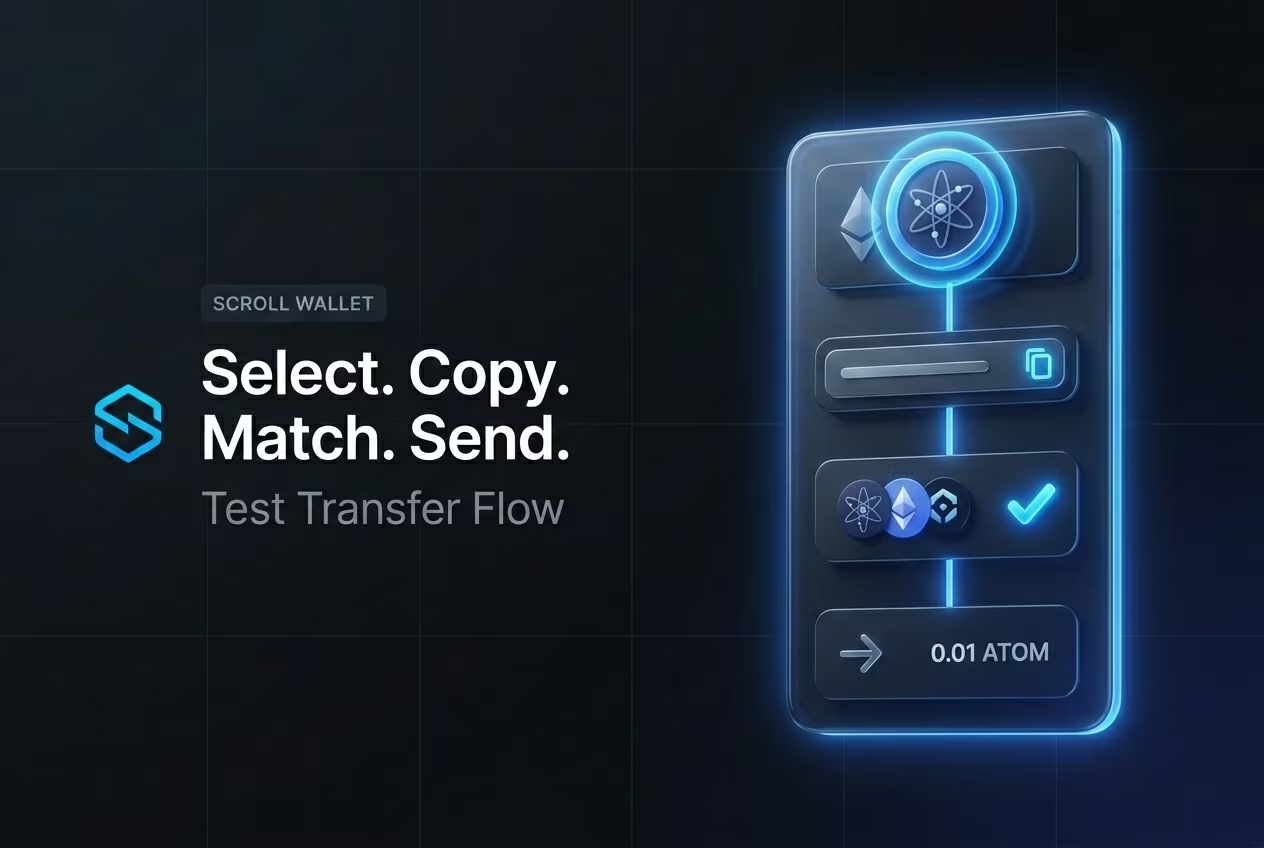
The single most effective habit for moving crypto safely is brutally simple: always send a small test transfer first, before you commit the full amount. Not a beginner tip. A battle-tested discipline used by experienced on-chain operators — because blockchain transactions are irreversible, full stop. Wrong address? Misconfigured bridge contract? Compromised wallet? There is no undo button. A test transfer of $1–$5 worth of tokens costs almost nothing and confirms three critical things at once: the destination address is correct, the network matches, and the receiving wallet actually works.
The logic cuts clean. Send the test. Wait for full confirmation. Then — and only then — send the rest. On Scroll's L2, confirmation typically lands within seconds to a few minutes depending on network conditions. Use that window. Pull up the transaction hash in the block explorer, verify the recipient balance updated, and proceed with the main transfer only after you see it. This two-step discipline kills the most common category of user error — address mistakes — which account for a staggering share of permanently lost funds in self-custody environments. For a deeper breakdown of this exact workflow, see our guide on secure crypto transfers.
As Security.org consistently notes in its operational security guidance, test transactions are a core component of safer self-custody — not a nice-to-have, a foundation. And in 2026, the risk surface is wider than it has ever been. Multi-chain environments. Active bridge exploits. Phishing attacks sophisticated enough to silently swap destination addresses inside wallet interfaces. A small test transfer acts as a live verification layer — confirming not just the address, but the token contract, the chain ID, and the gas configuration for that specific transaction. All of it, in one cheap, fast check.
Scroll Wallet surfaces this practice directly inside the transfer flow. No buried confirmation steps. No interface designed to rush users through high-value sends. The test-first approach is the path of least resistance here — by design. And if you are moving assets across chains via a bridge? The same rule applies with even greater force. Bridge transactions carry additional smart contract risk, and a failed or misdirected bridge transfer is significantly harder to trace and recover than a standard on-chain send. Every new destination address is unverified until a test transaction proves otherwise. Treat it that way, every time.
When moving assets from Scroll Wallet to an exchange, understanding the technical variables of each network is essential for managing costs and expectations. While Coinbase does not charge for inbound deposits, you are responsible for the external blockchain gas fees. Choosing layer2 crypto payments significantly reduces these overheads compared to the Ethereum mainnet. Below is a comparison of typical performance metrics and common factors that may cause your deposit to remain in a pending state.
| Network Type | Typical Confirmation Time | Relative Fee Level | Primary Delay Risks |
|---|---|---|---|
| Ethereum Mainnet | Minutes to Hours | High (Gas dependent) | Network congestion, low gas limit |
| L2 (Scroll, Polygon, Base, etc.) | Seconds to Minutes | Low | Bridging activity, incorrect network selection |
| Alternative L1 (Solana, Avalanche) | Seconds | Minimal | RPC instability, large deposit audits |
Scroll Wallet cuts transfer errors at the root — combining self-custody architecture with live network awareness so you know exactly where your assets are going before you hit confirm. Most crypto transfer mistakes happen at the same three pressure points: wrong network selected, mismatched token standards, or an address that belongs to a completely different chain. Scroll Wallet attacks each of these failure modes through interface logic — not through warnings you'll click past without reading. The moment you initiate a transfer from Scroll Wallet to Coinbase, the wallet detects the destination network automatically and flags any mismatch before anything gets broadcast. One step. Eliminates one of the most expensive user errors in multi-chain crypto.
The backbone of this whole system is self custody wallet architecture. Your private keys never leave your device, never touch a third party's server — every transaction decision stays with you. But here's the thing: Scroll Wallet's interface is engineered to make those decisions hard to get wrong. It pre-validates recipient addresses against known network formats, checks token contract compatibility, and surfaces real-time gas estimates before you sign a single thing. This isn't a passive safety net draped over a broken process. It's active transaction logic running upstream of your signature. In 2026, with L2 fragmentation and bridge complexity making multi-chain transfers genuinely treacherous, pre-flight validation isn't a nice-to-have. It's the floor.
As noted by Scroll Network, the wallet's custody design relies on local key control and zero-knowledge security principles that keep your signing environment completely isolated from external interference. Why does that matter for transfer accuracy specifically? Because a compromised signing environment can silently rewrite destination addresses — a vector that has quietly drained significant funds across the industry. By keeping key operations local and fully verifiable, Scroll Wallet guarantees that what you see on the confirmation screen is precisely what gets submitted to the network. No silent modifications. When you move assets from Scroll Wallet to Coinbase, you're working with a verified transaction object — full stop.
Lower transaction costs on the Scroll L2 network also do real work here, and not in the abstract way people usually mean. When gas fees are brutal, users rush confirmations, skip verification steps, and batch transfers sloppily just to save a few dollars. On Scroll, the economics flip. Cheap movement means you can send a small test transaction first, watch it arrive, and only then push the full amount — a dead-simple discipline that kills the majority of irreversible mistakes before they happen. Scroll Wallet was built to support exactly that kind of deliberate, unhurried transfer behavior. Not to pressure you into speed at the cost of accuracy. The goal is straightforward: make the correct action the easiest action. That's the only approach that actually reduces transfer errors at scale.
Your crypto deposit isn't showing on Coinbase — stop guessing and pull the transaction hash from a block explorer right now. Every on-chain transfer broadcasts a unique TXID the instant it hits the network. That hash is your diagnostic weapon — it tells you whether the transaction actually exists on-chain, how many confirmations it's stacked up, and whether the whole thing is still floating in the mempool or fully settled. Skip this step and you're troubleshooting in the dark.
Open the block explorer that matches the network you used. Etherscan for Ethereum. BscScan for BNB Chain. The Scroll block explorer if you routed assets over Scroll L2. Paste your TXID into the search bar and read what it tells you. If the transaction shows "Success," the problem isn't the blockchain — it's the receiving end. Either Coinbase is still waiting on confirmations, or the credit simply hasn't posted yet. Confirmation thresholds vary wildly by asset: Bitcoin needs 3, some ERC-20 tokens demand 35 or more. If the explorer says "Pending," your transaction is still queued and patience is the only fix. If it says "Failed," the funds never moved — they're still sitting in your originating wallet, untouched.
Network mismatch is where most people quietly lose their minds. Coinbase supports specific networks for each asset, and sending tokens over an unsupported chain — say, routing USDC through Scroll to a Coinbase address that only accepts ERC-20 on Ethereum mainnet — leaves your funds technically on-chain but completely invisible to the exchange. Verify which networks Coinbase actually supports for your token before you hit send, not after. If you're hunting for platforms that offer fast fiat conversion with broader network compatibility, do that research before locking yourself into one exchange.
Block explorer confirms success, confirmations are sufficient, network matches, and 60 minutes have passed — still nothing. At that point, contact Coinbase support directly. Give them everything: the full transaction hash, the sending address, the receiving address, the asset name, and the network used. That's the complete picture their team needs to locate the transfer in their internal systems and manually credit the deposit if required. One critical rule: do not send a second transaction before the first is resolved. Duplicate transfers are an avoidable disaster that turns a straightforward support ticket into a genuinely complicated recovery case.
Moving crypto from a self-custody wallet to Coinbase triggers zero tax liability under current IRS rules — you're shifting your own assets between accounts, not disposing of anything. No capital gains. No losses. The transfer itself is a non-event on your tax return. The taxable moment hits later — when you sell, swap, or otherwise let go of those assets on Coinbase. That distinction is enormous, and getting it wrong is one of the most expensive mistakes US crypto holders make every filing season.
But "non-taxable" doesn't mean "invisible." The Travel Rule kicks in at $3,000 for transfers between self-custody wallets and regulated exchanges like Coinbase. Hit that threshold and Coinbase is legally required to collect your name, physical address, and the stated purpose of the transfer. And don't think splitting a $4,000 move into two $2,000 transfers on the same day gets you around it — same-day transfers to the same exchange are aggregated. The compliance math is unforgiving. Your best move? Prepare accurate originator information before you initiate anything, so you're not scrambling mid-transfer with a frozen account and a ticking clock.
Here's what most people miss: your recordkeeping obligations don't take a break just because the transfer isn't taxable. The cost basis you built when you originally acquired those assets follows the coins to Coinbase. Lose track of the original acquisition date, purchase price, or fair market value at the time of deposit, and you'll be guessing when you eventually sell — which means either overpaying taxes or waving a red flag at the IRS. Keep a transaction log that captures every critical detail:
That log is your audit trail. Your proof. Your defense if the IRS ever challenges your reported cost basis.
Scroll Wallet is built for exactly this compliance reality. Transaction metadata — timestamps, on-chain confirmations, amounts — surfaces in a format designed to export cleanly and reconcile with tax software without the usual headache. In a multi-chain world where assets hop across L2s, bridges, and custodial platforms, fragmented records aren't just annoying. They're a genuine financial risk. Precision in recordkeeping isn't a nice-to-have. It's the foundation everything else is built on.
Every successful crypto transfer lives or dies by four decisions made before you hit send: confirm token support, match the network, verify the destination address, and run a test transfer first. These aren't optional precautions for the cautious type — they're the bare minimum for anyone moving assets across a multi-chain environment where one mismatched network or a single corrupted character in an address means the funds are gone. Permanently. No protocol rolls back a confirmed transaction. No support ticket recovers what landed on the wrong chain.
Wallet security in 2026 looks nothing like it did three years ago. L2 networks, bridges, and parallel ecosystems have fractured the landscape so thoroughly that the same token can exist on five chains at once, each with its own contract address and fee logic. That's not complexity — that's a minefield. Scroll Wallet is built to pull you through it without stepping on anything: surfacing network mismatches before confirmation, flagging addresses it doesn't recognize, and structuring the entire send flow so the critical details are impossible to miss. The core assumption baked into the architecture? Users will make mistakes under pressure. The interface has to catch those mistakes before they calcify into something irreversible.
Safe transfer practices only matter if your tool enforces them by design — not by leaving a checklist in the docs and hoping you read it. That's the philosophy driving Scroll Wallet: automate the risk reduction, don't just describe it. For a full breakdown of how this works across real transfer scenarios — test transfer logic, address verification, network confirmation — the complete guide on secure crypto transfers covers both beginner and advanced use cases, with every step tied directly to how Scroll Wallet handles each decision point.
The safest path through any transfer is the one with the fewest assumptions. Confirm the token is supported on the destination network. Match the network on both ends before you type a single digit. Verify the address character by character — or use a tool that does it for you. Send a small test amount, wait for confirmation, then move the rest. None of this is complicated. But it demands a wallet that makes these steps easy to follow rather than easy to skip. That's exactly what Scroll Wallet was built to be.